Skip to content

Kivilio Voice

Turn meeting recordings into minutes in minutes.

Upload the recording and get who said what, which decisions were made and who took on what, each listed separately. Focus on the meeting, not on taking notes.

No card required · 10 minutes every month on the Free plan

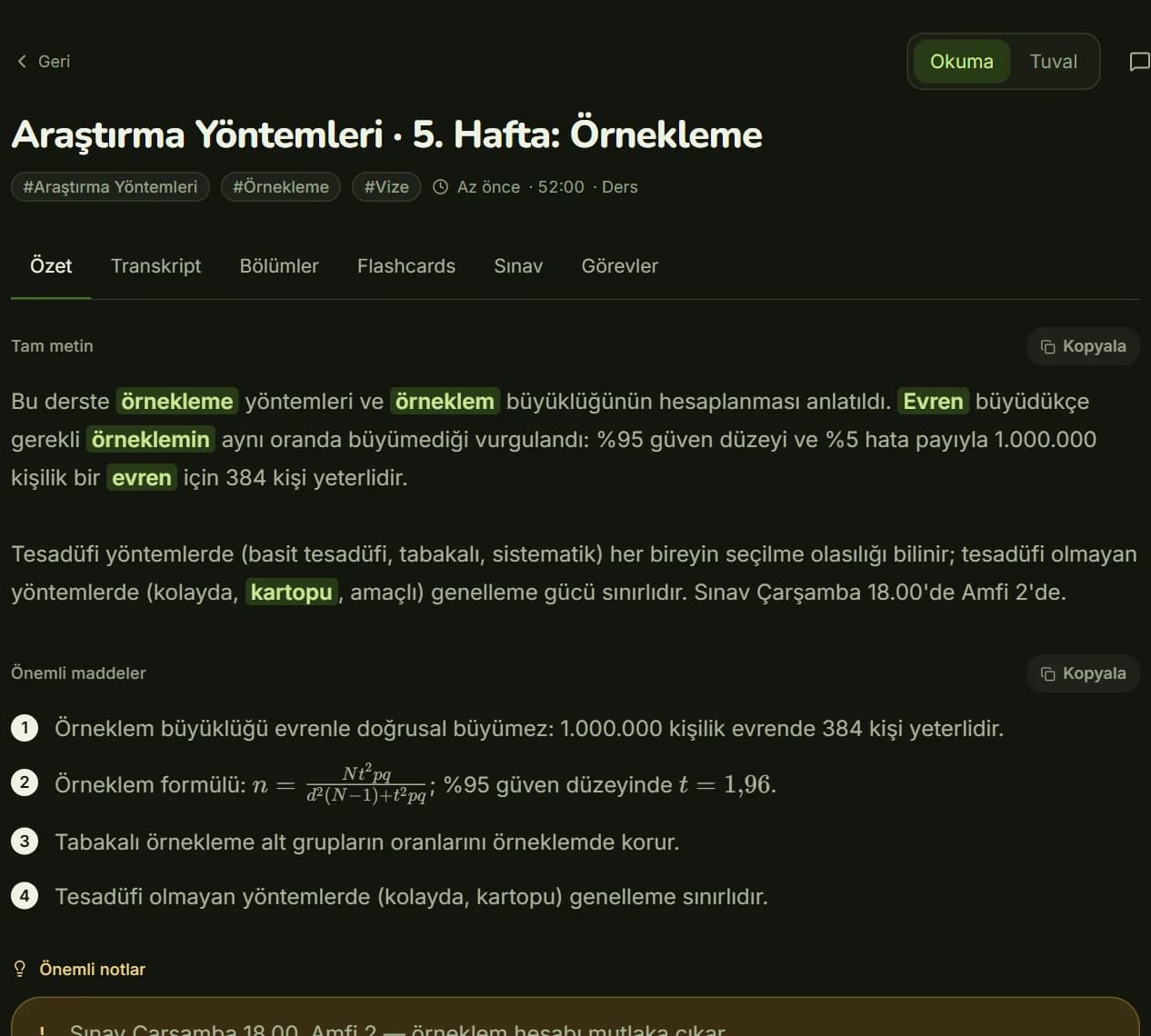
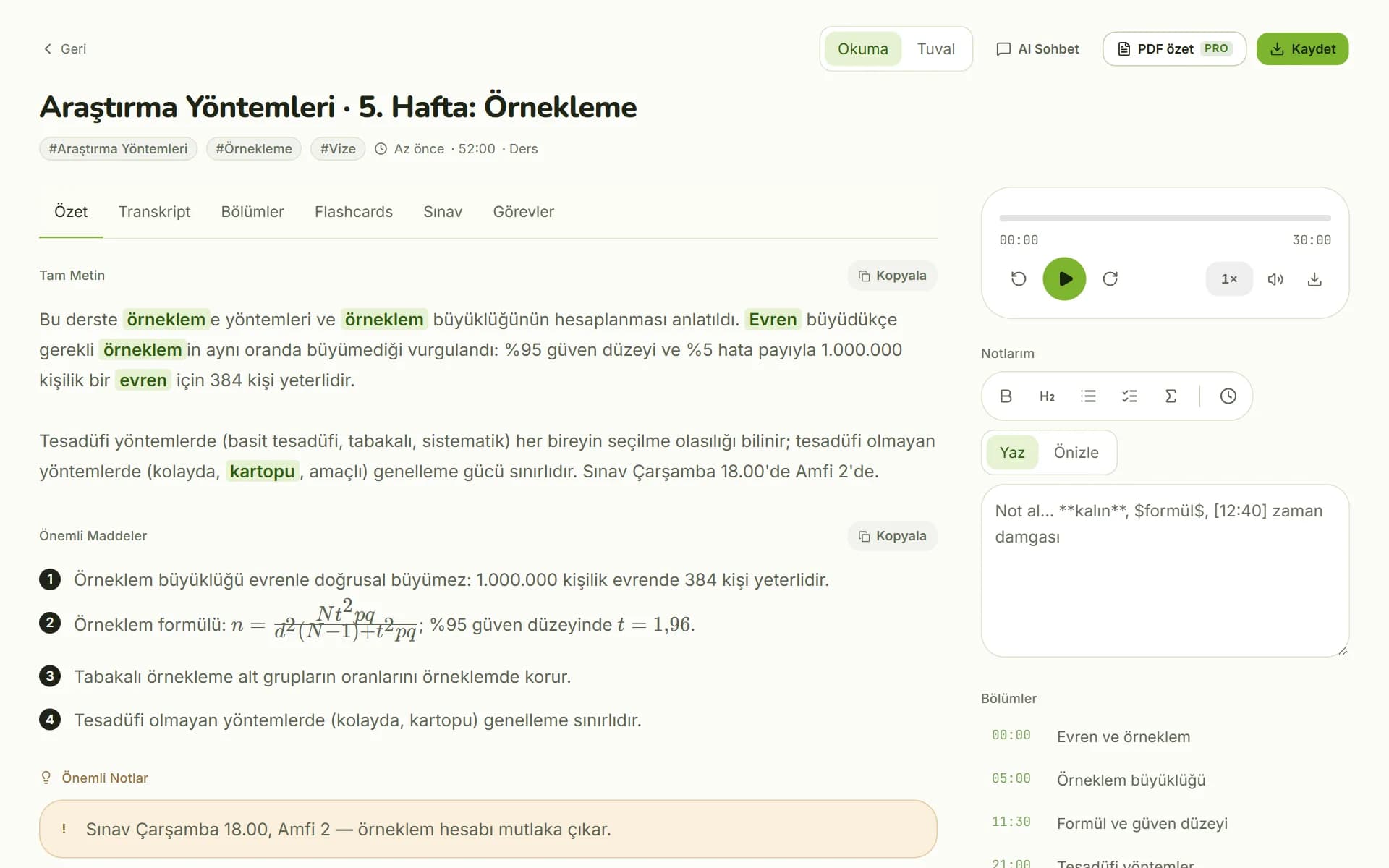
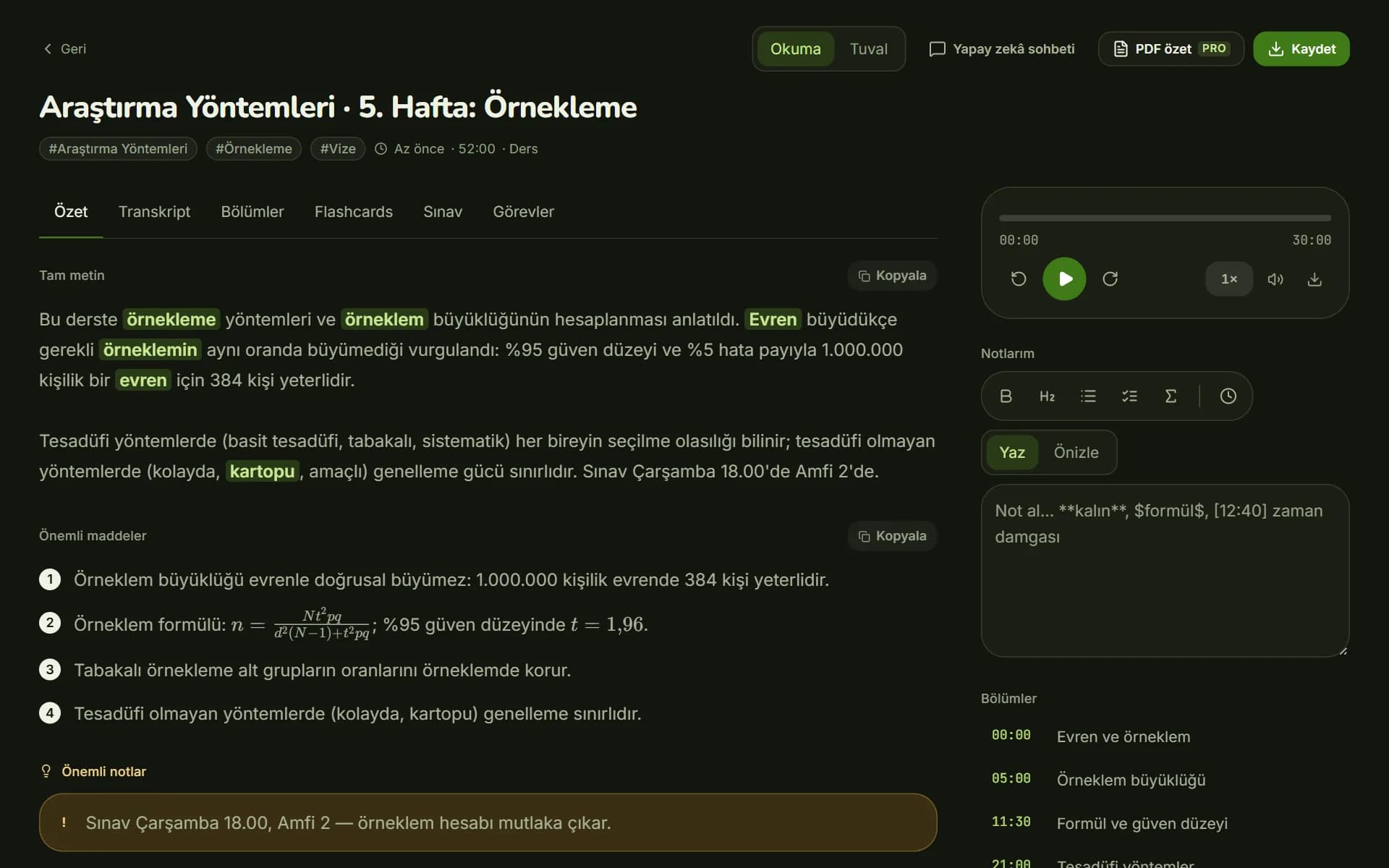
Kivilio Voice reading view: summary, key points, chapters and the Tasks tabKivilio Voice reading view: summary, key points, chapters and the Tasks tab

How it works

From recording to minutes in three steps.

A few minutes, depending on how long the recording is. Processing runs in the background, so you can close the page.
  1. Upload the recording

    Drag in the meeting's audio or video file, paste a YouTube link, or record the meeting straight from your browser.

  2. Let Kivi listen

    AI listens to the recording, separates the speakers and pulls out the summary, decisions and action items.

  3. Read and share

    Read the summary, check the task list, and share the recording or folder with your team using a link.

Meeting notes AI

Walk out of every meeting with minutes.

These are real screens: the reading and transcript views of a recording uploaded to Voice.

Summary and chapters

An hour-long meeting you can read in a few minutes.

When processing finishes, you get the meeting's summary, key points, important notes and topic chapters. Critical details like dates are flagged separately.

  • Summary, key points and important notes
  • Timestamped chapters: click to jump to that moment
  • Keep your own notes next to the recording
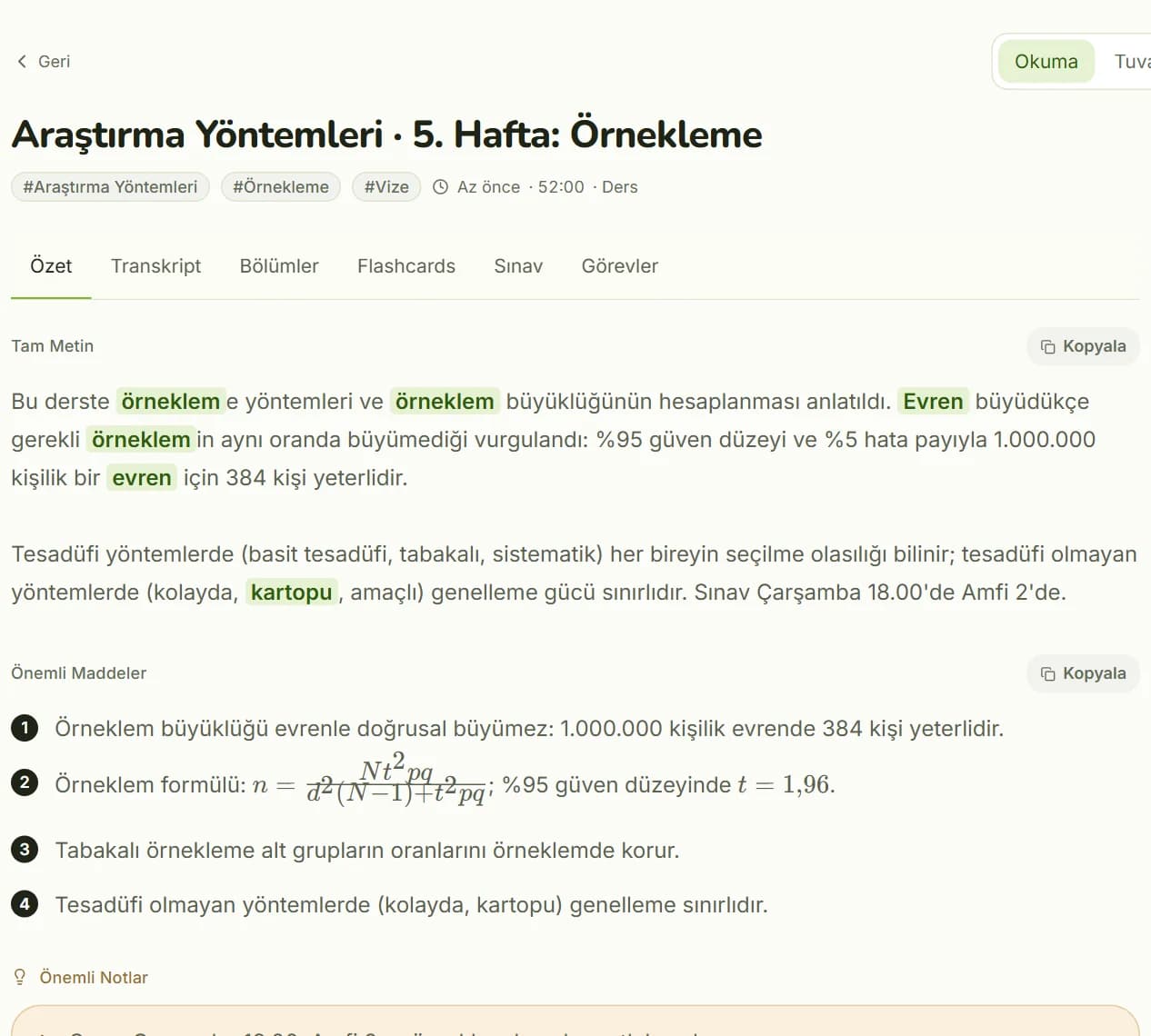
Reading view: a recording's summary, key points and notesReading view: a recording's summary, key points and notes

Minutes from a recording

Who said what, and exactly when.

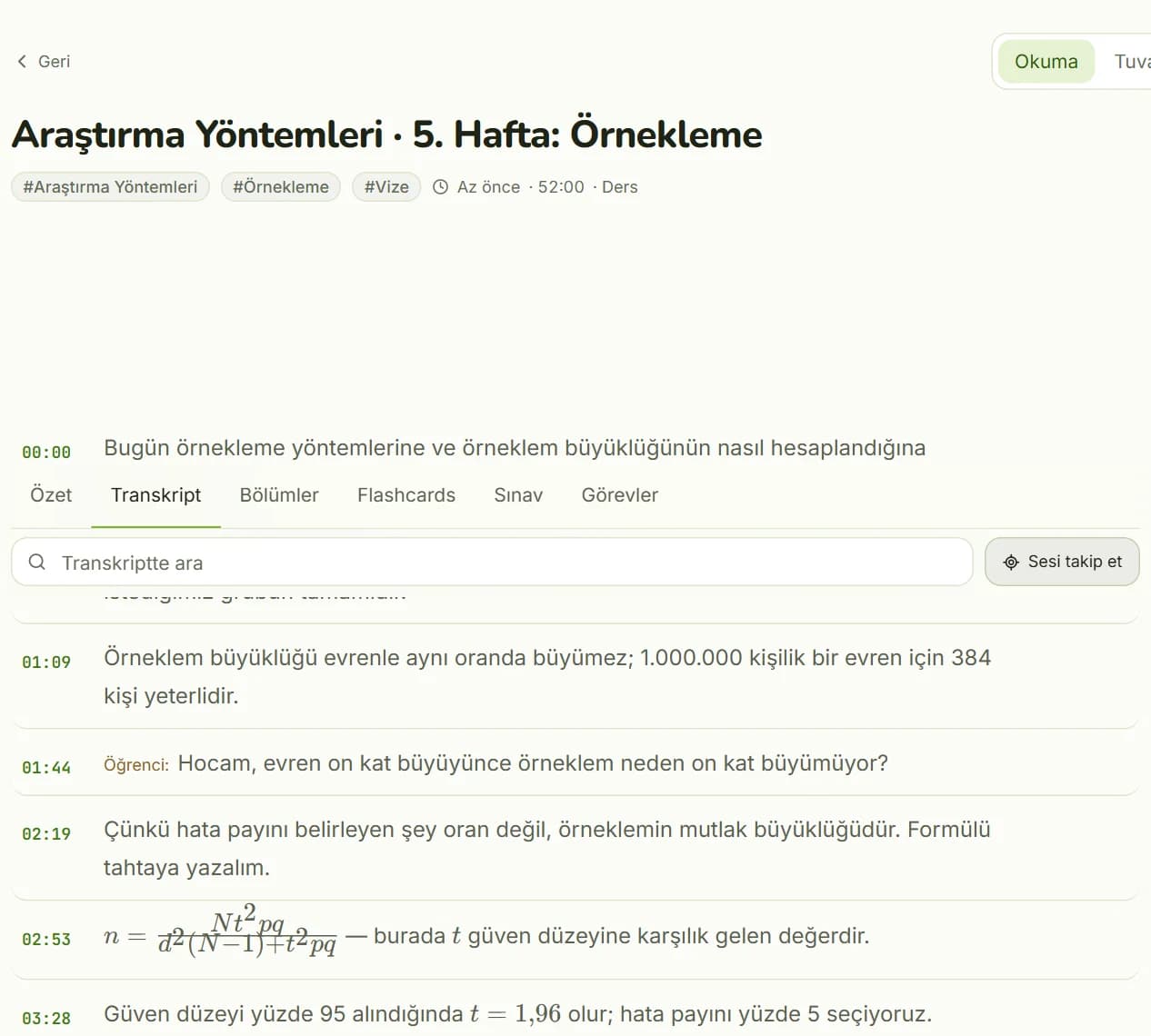
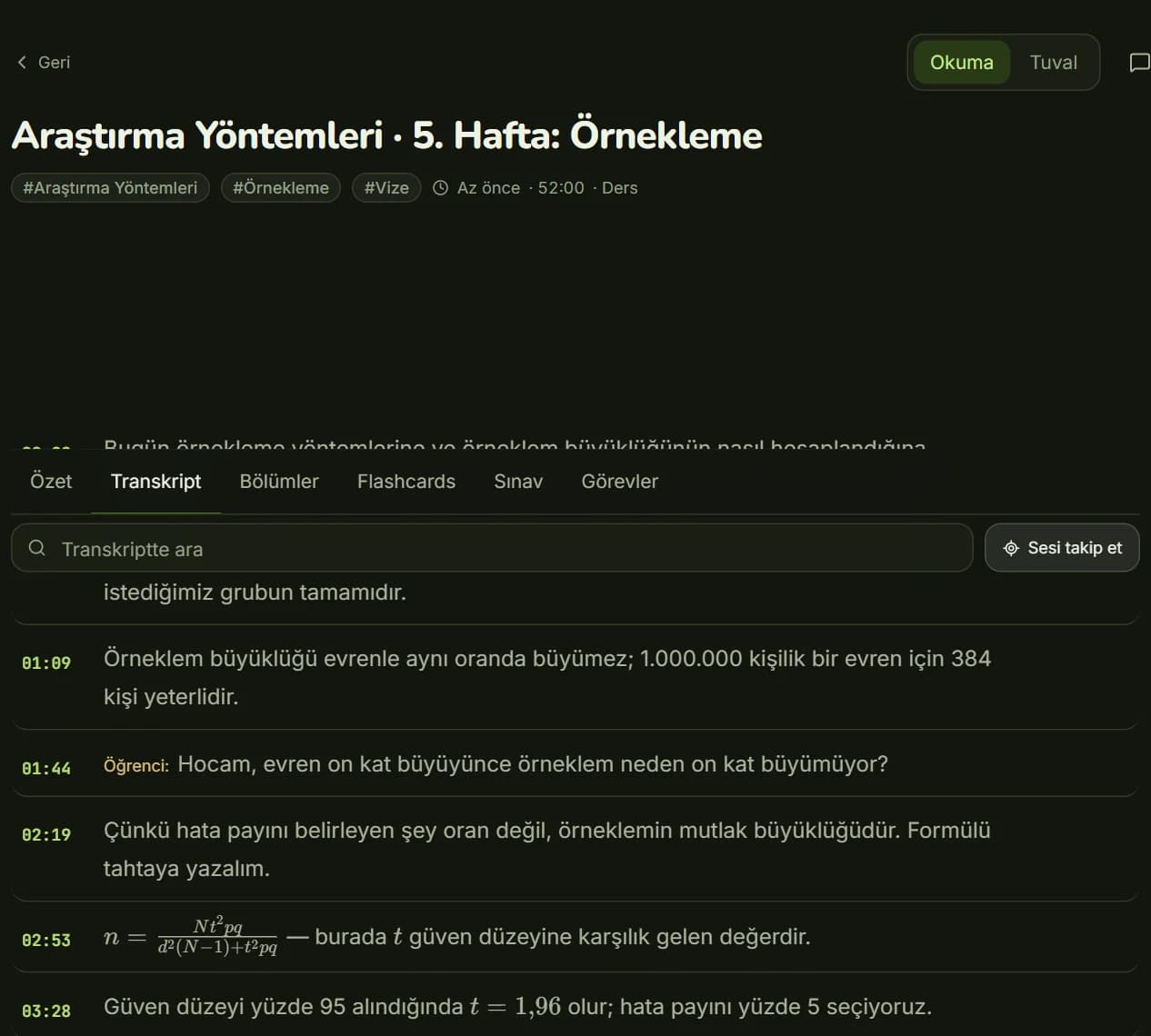
The whole meeting is transcribed, split by speaker and timestamped. Click a sentence and the audio plays from that exact second; search to find the part where something was discussed.

  • Transcript by speaker
  • Click a sentence to hear it from that second
  • Search within the transcript
Transcript view: timestamped lines split by speakerTranscript view: timestamped lines split by speaker

What's in your minutes, and where recordings come from

  • Decisions and action items

    Decisions made in the meeting, and who took on what, are listed separately.

  • Summarize a Zoom or Meet recording

    Upload your Zoom or Google Meet recording as a file: MP3, WAV, M4A, MP4, MOV or WEBM, up to 5 GB.

  • Ask the recording

    Ask the meeting a question in AI chat; answers are based on what's in the recording.

  • Share with your team

    Organize meetings in folders, share a recording or folder with a link, and turn it off whenever you want.

  • Search every meeting

    Search across all your recordings, transcripts included.

  • Record in your browser

    Record the meeting right in Voice, then send it for analysis when you're done.

Who it's for

For teams that want to get from meeting to decision.

Upload the meeting and get who said what, which decisions were made and who took on what, each listed separately. Organize in folders, share with your team, and search your recordings.
Kivilio for teams

Privacy

Your meetings stay in your account.

Our privacy policy spells out where your recordings are stored and who we share them with.
  • Private unless you share

    Your recordings stay in your account only. Turn off sharing or delete a recording at any time.

  • Servers in Turkey

    Your account details and Voice recordings are stored on Kivilio's servers in Turkey.

  • Shared only as needed

    Recordings are sent to Google's Gemini API for analysis; the file uploaded there is deleted when the job is done.

  • Never sold, never used for ads

    We don't sell your data or use it for ads.

Privacy policy

Pricing

Simple, by the minute.

1 credit is 1 minute of analysis. The Free plan gives you 10 minutes every month, no card required.
  • Free

    $0forever

    • 10 minutes of credit every month
    • Up to 30 minutes per recording
    Start for free
  • Lite

    $3.99/ month

    • 150 minutes of credit every month
    • Up to 1 hour per recording
    • Processed before the Free plan
    Choose Lite
  • Pro

    $9.99/ month

    • 500 minutes of credit every month
    • Up to 3 hours per recording
    • Study guide (PDF)
    • Processed before Lite and Free
    Choose Pro
  • Business

    $29.99/ month

    • 2,000 minutes of credit every month
    • Up to 5 hours per recording
    • Study guide (PDF)
    • First in the queue
    Choose Business

Every plan includes: summary, transcript, chapters, flashcards, quizzes, timed exams, canvas, mind map, AI chat, notes, YouTube import, folders and link sharing.

Prices are in US dollars; any taxes for your country are shown at Paddle's checkout. Manage your subscription from Kivilio Account and cancel any time.

Compare plans

FAQ

Questions about meeting notes

Here are the ones we hear most often.
How do I get meeting minutes from a recording?

Upload the recording to Kivilio Voice. Within a few minutes, depending on its length, you get a summary, key points, important notes, chapters, decisions, a task list and a transcript split by speaker.

Can I summarize a Zoom or Google Meet recording?

Yes, by uploading it as a file. Voice doesn't connect to Zoom or Meet; just upload the meeting's recording file (MP4, M4A, MP3 and similar, up to 5 GB).

Does it tell speakers apart?

Yes. The transcript is split by speaker and timestamped. Click a sentence and the audio plays from that second.

How do I share meeting notes with my team?

Share a recording, or a folder of meetings, with a link. Anyone with the link can see it, and you can turn sharing off at any time.

Does it handle long meetings?

Yes. Files can be up to 5 GB, and the maximum length of a single recording depends on your plan, up to 5 hours. Processing runs in the background, and the recording shows up in your library when it's ready.

Which languages does it support?

You choose the language of your notes when you upload a recording; the default is Turkish. The app's interface is available in Turkish, English, German, Italian, Spanish, French and Portuguese.

Is there a free meeting notes AI?

The Free plan gives you 10 minutes of credit every month, and no card is required. Without an account, you can also try it twice an hour with a file up to 20 MB; your file isn't stored.

Are my meeting recordings safe?

Your recordings stay in your account only; no one can see them unless you share them. They're stored on Kivilio's servers in Turkey, and the file uploaded to Google for analysis is deleted when the job is done.

Kivilio newsletter

New articles, product news and short tips.

At most one email a week. Unsubscribe anytime.

By subscribing, you agree that we process your email address for the newsletter. Details: Privacy policy.

Upload your next meeting to Kivilio Voice.

Summary, transcript, decisions and action items, all in one place.