Transcribe audio to text: accuracy, privacy and cost
How to transcribe audio to text: manual vs automatic options compared on accuracy, privacy, cost model, timestamps and editing, plus a quick accuracy test.
To transcribe audio to text, you have four realistic options: type it yourself, use your device's built-in speech-to-text, upload the file to an AI transcription service, or pay a human transcriptionist. For most recordings, the fastest route to a usable transcript is automatic transcription followed by a short, timestamp-guided cleanup pass. Which option is right for you comes down to five criteria: how accurate it needs to be, where your audio goes, how you pay, whether you get timestamps, and how much editing you're willing to do. This guide compares the options on each one, without vendor names, so you can judge any tool yourself.
What are your options for transcribing audio to text?
| Option | Best for | Main trade-off |
|---|---|---|
| Typing it yourself | Short clips, exact quotes | Takes several times the length of the recording |
| Built-in dictation or speech-to-text | Short, clear, single-speaker audio | Long files and punctuation are weak spots |
| AI transcription service | Lectures, meetings, interviews, videos | Your audio is uploaded; check the privacy terms |
| Human transcription service | Legal, research or publication-grade text | Slowest and usually the most expensive per minute |
There's also a hybrid that most people end up using: let software produce the first draft, then fix it yourself. You keep the speed of automation and the judgment of a human, and you only spend time on the parts that need it.
How accurate is automatic transcription?
Speech recognition accuracy is usually measured with word error rate (WER). You compare the machine transcript against a reference written by a person, count the words that were substituted, deleted or inserted, and divide by the number of words in the reference. Lower is better. The open textbook Speech and Language Processing by Dan Jurafsky and James H. Martin (Stanford) covers WER in its speech recognition chapter, along with what makes recognition harder: larger vocabularies, conversational rather than read speech, distant microphones and background noise, and accents the system saw less of in training.
That last point matters when you read accuracy claims. A single headline number tells you how a system did on someone else's test audio, not on your lecture hall or your team's video call. In practice, accuracy depends on:
- Microphone distance and noise. A phone on the desk near the speaker beats a laptop mic across the room.
- Overlapping speech. When two people talk at once, one of them usually gets lost or merged.
- Speaking style. A rehearsed talk transcribes better than a fast, interrupted discussion full of "um" and half-finished sentences.
- Accents and pace. Fast or mumbled speech produces more errors.
- Vocabulary. Jargon, product names and people's names are where most mistakes cluster.
Run a two-minute accuracy test
Pick a typical two-minute stretch of your own audio and type it out word for word. Run the same clip through the tool you're considering, count the wrong, missing and extra words, and divide by your word count. Testing on your real recordings tells you far more than any published figure.
How do you get a more accurate transcript?
Most accuracy is decided before you hit record. Put the microphone close to whoever talks most, mute notifications, avoid rooms with echo, and ask people not to talk over each other on calls. If you record lectures, the setup tips in our guide to turning lecture recordings into study notes make a noticeable difference. Before transcribing, jot down a short list of names and technical terms you expect; you'll use it during cleanup.
What happens to your audio when you use a transcription tool?
With any cloud-based service, your file is uploaded to a server and may be passed to a third-party AI provider for processing. That recording contains other people's voices too: your professor, your colleagues, your clients. Tell people you're recording and that you plan to transcribe it, and follow your school's or employer's rules. Our meeting minutes guide covers how to ask for consent before a meeting.
Before uploading anything sensitive, read the tool's privacy policy with these questions in mind:
- Where is the audio processed? On your device, on the provider's servers, or sent on to another AI company? In which country?
- How long is it kept? Is the audio file deleted after processing, or stored until you delete it?
- Is it used for anything else? Look for a clear statement about advertising, selling data and using content to train models. If the policy doesn't say, ask.
- Who can access it? Are share links public by default, and can you turn them off?
- Can you delete it? Can you permanently remove both the recording and the transcript yourself?
On-device dictation keeps audio local but tends to struggle with long, multi-speaker recordings. Cloud services usually handle those better, so the privacy terms are the thing to check. For medical, legal or confidential business recordings, if you can't find clear answers, don't upload.
How do transcription tools charge?
Prices change too often to be worth quoting, but the pricing models are stable enough to compare:
- Free and built-in. No direct cost, but often limits on file length, no timestamps, and minimal punctuation. Your cost is cleanup time.
- Pay as you go. You pay per minute or per hour of audio. Good if you transcribe occasionally.
- Subscription with a monthly allowance. A set number of minutes or hours per month. Good if you transcribe every week, but check what happens to unused time and what happens when you go over.
- Credits. You buy or receive credits and spend them per file or per feature. Check how many credits a typical recording uses.
- Human transcription. Usually priced per audio minute, often with surcharges for fast turnaround, several speakers or difficult audio.
When you compare, count the hidden costs too: your editing time, maximum file length, export formats, and whether extras like summaries or speaker labels cost more. A cheaper tool that needs an hour of fixes per recording isn't cheaper.
Why do timestamps and editing matter?
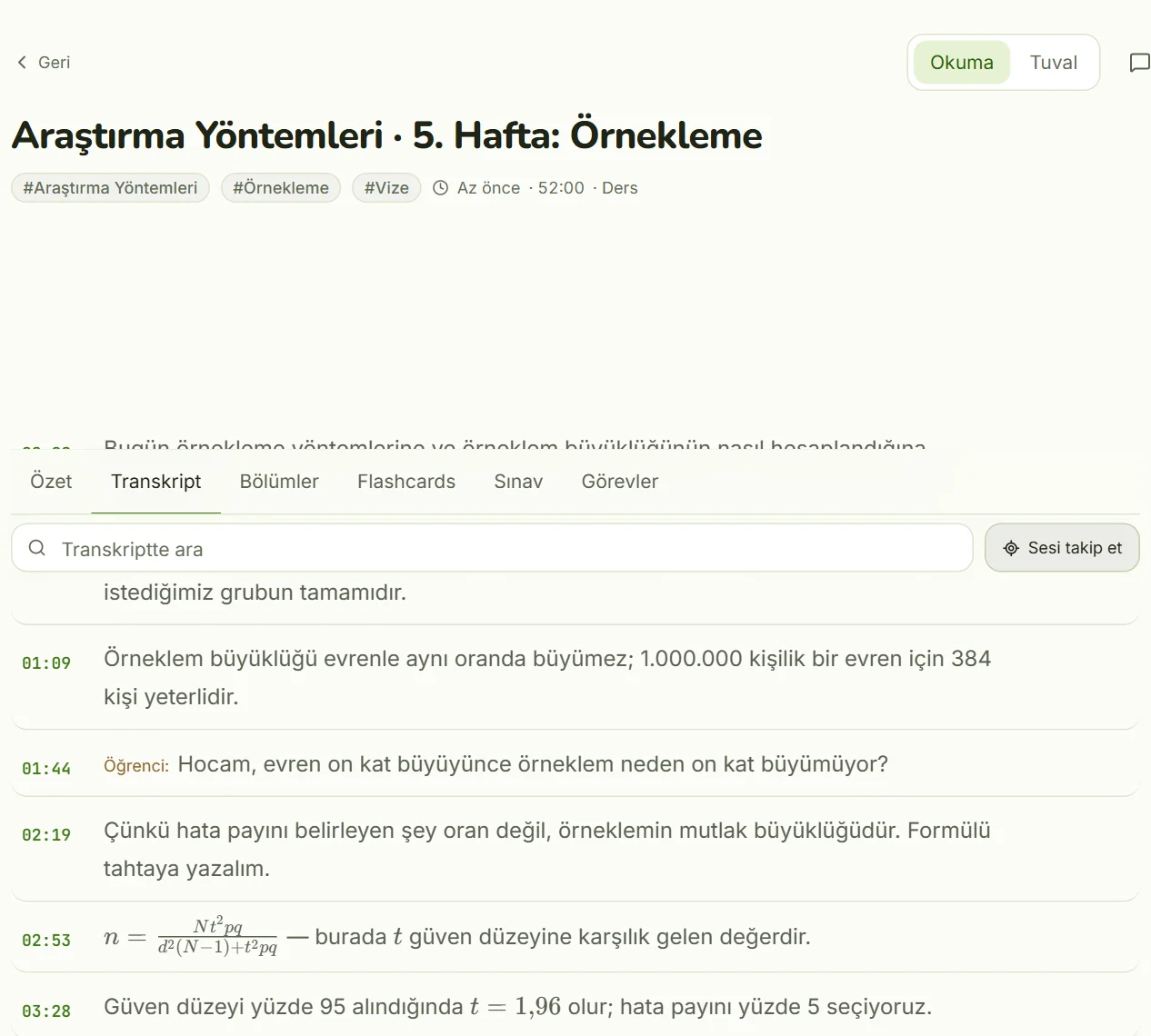
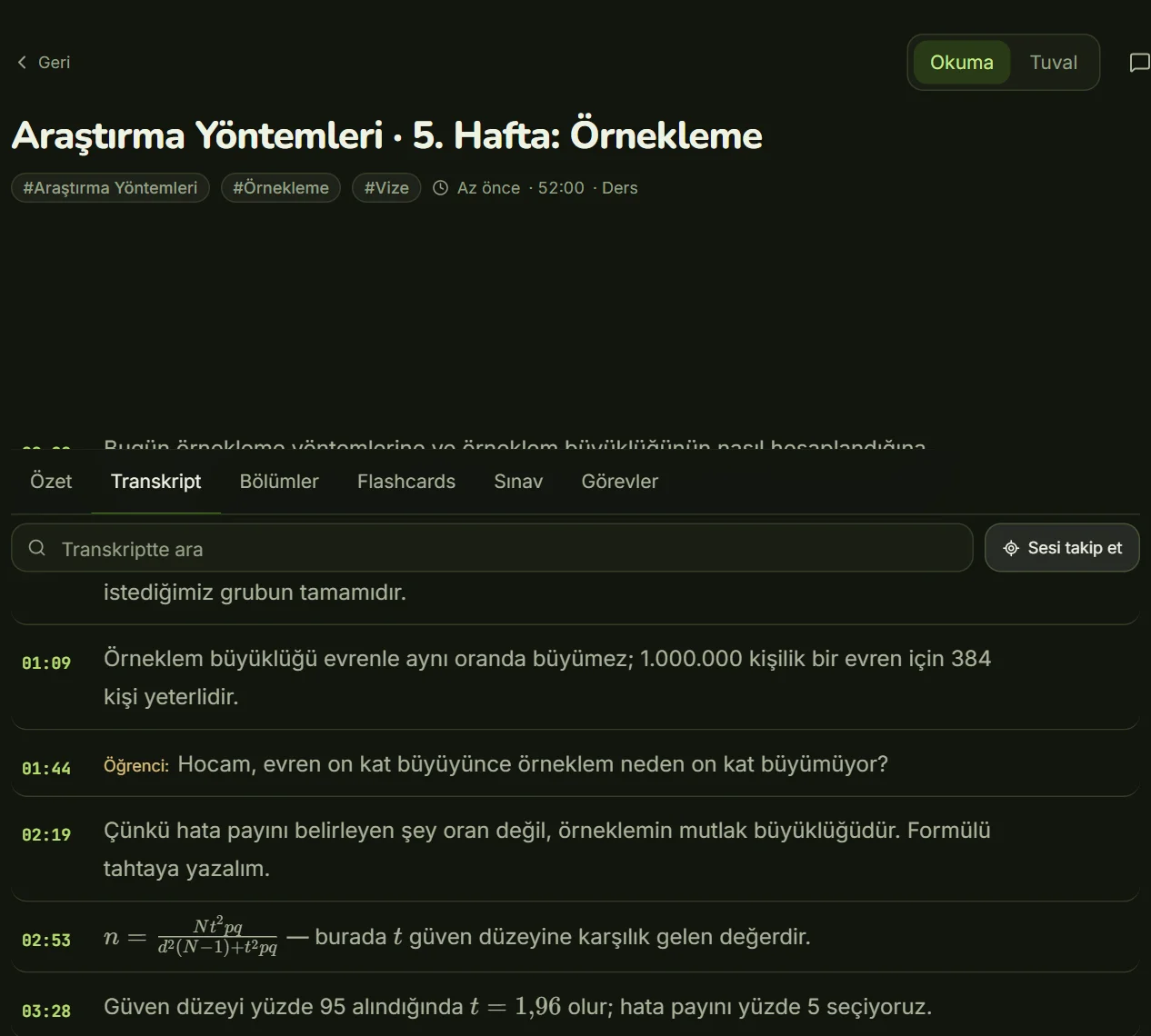
Timestamps link each part of the transcript to the moment in the recording where it was said. They turn cleanup from "listen to the whole thing again" into "jump to the three sentences that look wrong." They also let you cite a moment precisely, which helps when you quote someone or check a decision from a meeting.
- Skim and flag. Read the transcript once and mark anything that looks wrong, without fixing it yet.
- Jump and listen. Use the timestamps to play only the flagged spots, slowing playback if needed.
- Find and replace. Fix recurring errors in names and terms in one go, using the list you made earlier.
- Label speakers. In meetings and interviews, who said it matters as much as what was said.
- Check quotes last. If you'll publish or cite a sentence, verify it word for word against the audio.
When comparing tools, check whether you can edit the transcript in place, search it, and export it with timestamps intact. A transcript you can't correct is a draft forever.
Where does Kivilio Voice fit in?
Kivilio Voice is an AI transcription option built for lectures and meetings. Give it a recording or a YouTube video and it produces a timestamped transcript, then a summary, chapters, flashcards, a 12-question multiple-choice quiz, a timed exam, a mind map and a PDF study guide from the same source. Processing runs in the background, so you can close the tab.
On privacy: files uploaded to Google (Gemini API) for analysis are deleted once the job finishes, and your data isn't sold or used for advertising. See the Kivilio Voice page for details.
Frequently asked questions
What is the most accurate way to transcribe audio to text?
A careful human transcription is still the most accurate, but it's slow. For most purposes, automatic transcription plus a timestamp-guided review gets you close in a fraction of the time, especially if the original recording is clean.
How long does it take to transcribe one hour of audio?
Typing it yourself takes several times the length of the recording. Automatic tools produce a draft much faster, so your time goes into reviewing and correcting, which depends on audio quality and how exact the text needs to be.
Is it safe to upload recordings to a transcription service?
It depends on the service and the recording. Read the privacy policy for where audio is processed, how long it's kept, whether it's used for other purposes, and whether you can delete it. For highly sensitive recordings, if the answers aren't clear, don't upload.
Do I need permission to transcribe a recording with other people in it?
Tell the people on the recording that you're recording and transcribing, and get their agreement where you can. Follow your school's or employer's rules, and ask a legal adviser if you're unsure about your situation.
Can I transcribe a YouTube video to text?
Yes. Video audio is transcribed the same way as any other recording. Use the transcript for your own study or notes, and respect the creator's rights before sharing it.
Kivilio newsletter
New articles, product news and short tips.